
Architecture Overview
Rust workspace crate map, dependency flow, and component responsibilities.
Rustume follows a modular Rust workspace architecture. Core logic lives in shared crates; delivery surfaces (CLI, server, WASM, web app) are thin adapters.
High-level diagram
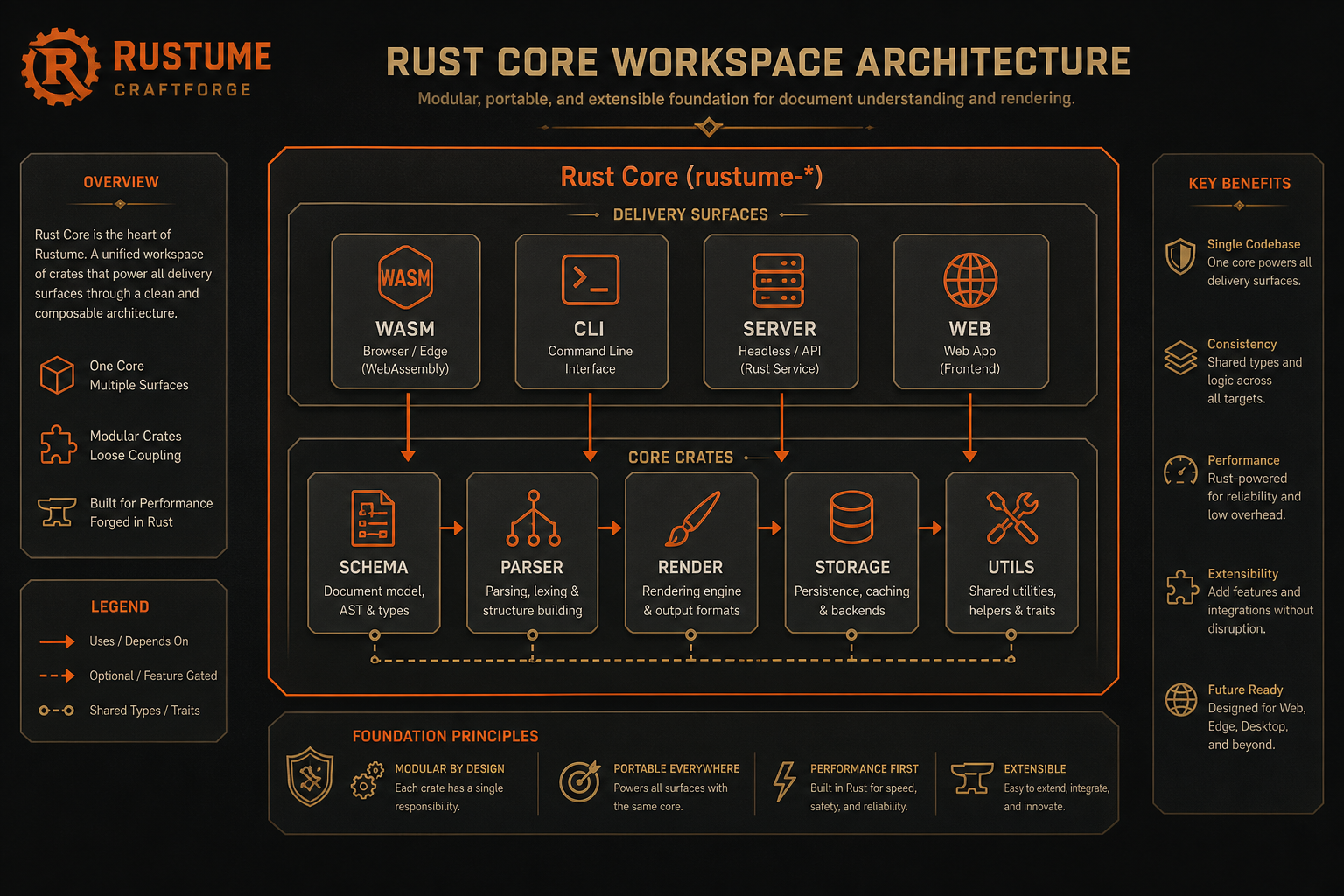
Core logic lives in shared crates; delivery surfaces are thin adapters.
Crate responsibilities
| Crate | Purpose |
|---|---|
rustume-schema | Resume data types, validation, JSON Schema definitions |
rustume-parser | Import parsers for JSON Resume, LinkedIn, Reactive Resume |
rustume-render | Typst-based PDF/PNG generation with 12 templates |
rustume-storage | Platform-agnostic storage abstraction (IndexedDB, memory) |
rustume-utils | Shared utilities (ID generation, string, date, color, HTML→Typst) |
rustume-cli | Command-line interface binary |
rustume-server | REST API with OpenAPI documentation (Axum) |
rustume-wasm | WebAssembly bindings for browser usage |
apps/web | SolidJS resume builder (Vite) |
apps/site | Astro documentation site (this site) |
Dependency flow
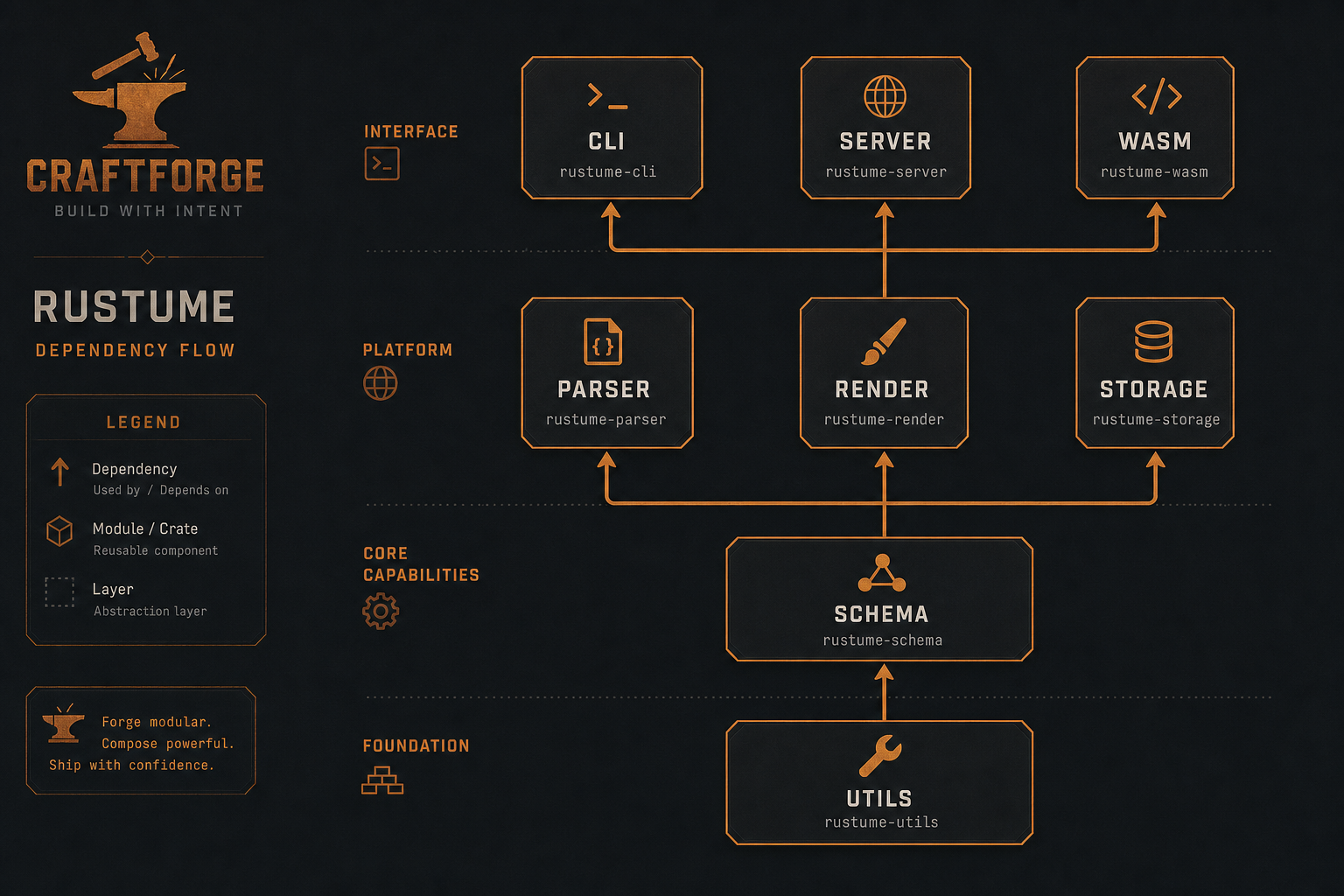
Core crates (utils, schema) have no dependencies on higher-level crates. This keeps
WASM bundle size minimal and allows
CLI and server to share identical parsing and rendering logic.
Server crate structure (Cloud)
When RUSTUME_CLOUD=true the server adds:
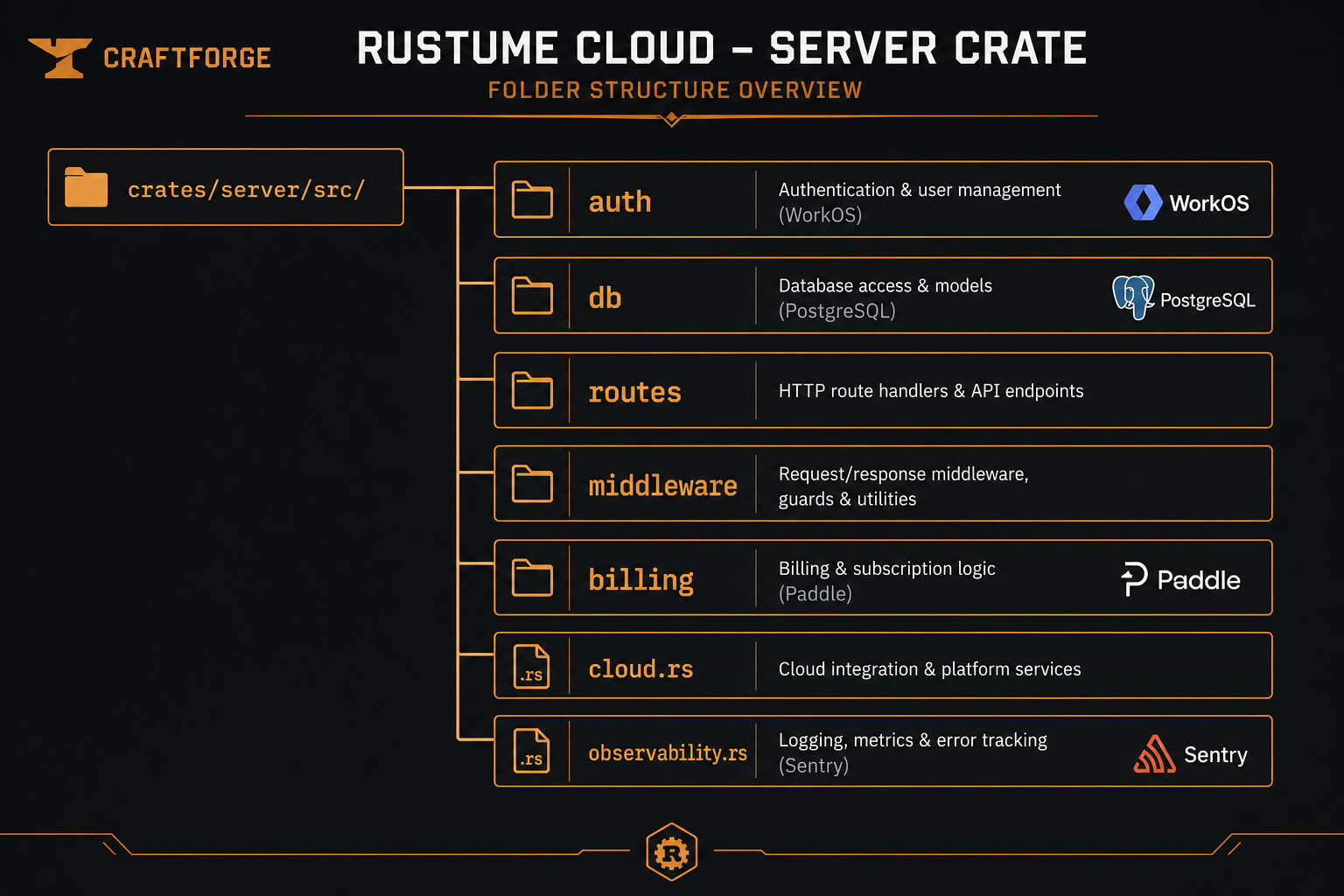
Self-hosted mode skips Cloud auth and database initialization — the same connected capabilities are enabled when an operator configures the required services. Hosted billing controls use of the Rustume-operated deployment, not application feature access.
Web app structure
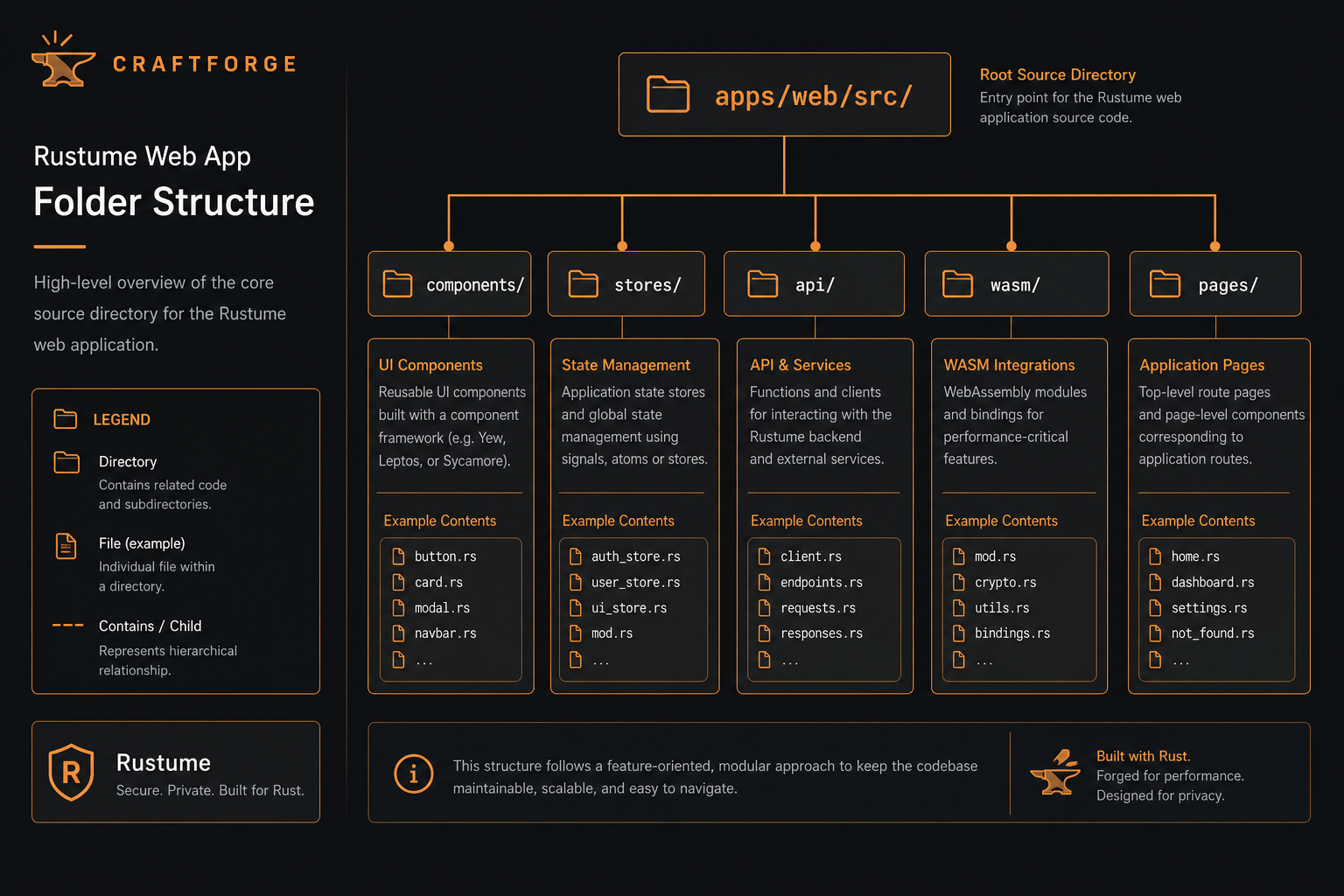
Persistence store routes to IndexedDB or cloud API based on auth state.
Rendering pipeline
ResumeDataJSON validated against schema- Rich-text HTML fields sanitized and converted to Typst markup
- Typst template selected from
metadata.template - Theme colors injected from
metadata.theme - Typst compiles to PDF; PNG preview renders page 0 (or specified page)
No browser or headless Chrome — Typst runs natively in Rust.
Testing strategy
- Unit tests — inline
#[cfg(test)]in each crate - Integration tests —
tests/directories per crate - Web tests — Vitest for stores and API client
- CLI tests —
crates/cli/tests/cli_tests.rs
Run all: make test — see Development setup and
Linting.
See also
- Cloud stack — hosted production infrastructure
- Data model — PostgreSQL schema
- Contributing — development setup